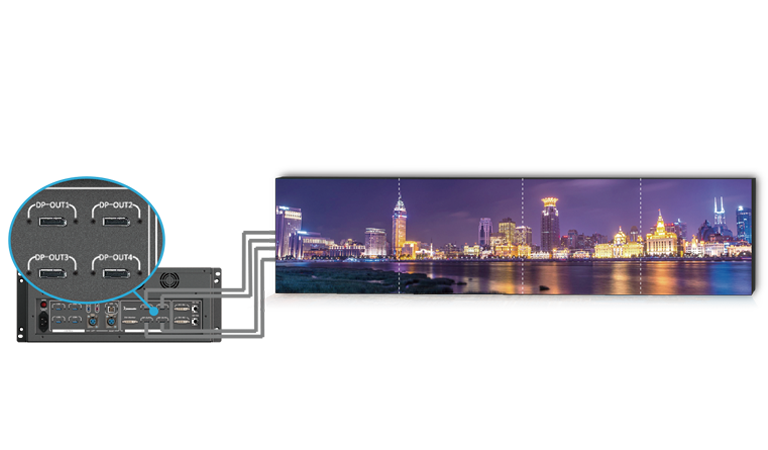
An HDMI socket does not prove that a controller can accept 3840 x 2160 pixels at 60 frames per second. HDMI version, color sampling, bit depth, EDID, and internal processing bandwidth all affect the result. An HDMI video wall controller for 4K60 and custom LED layouts must be verified as a complete path from source input through window processing to the final output load.
Confirm the Input Timing, Not Just the Connector
4K can mean several raster and refresh combinations. HDMI 1.4-class inputs commonly have lower 4K frame-rate limits than HDMI 2.0, and a product may support a custom wide input without supporting full UHD at 60Hz. The source, cable path, and HDMI video wall controller must agree on active resolution, refresh rate, color format, and bit depth.
If any stage negotiates a lower mode, the system may fall back without making the limitation obvious. A source test should include the intended color sampling, bit depth, HDR state, and cable length, because the connector name alone does not prove that the complete 4K60 mode will remain stable.
EDID is the description that tells a source which modes the downstream system accepts. In fixed installations, a controlled EDID can keep laptops, media players, and switchers from choosing inconsistent timings. The planned mode should be tested after power cycles and input changes, because successful operation during one commissioning session does not prove stable negotiation.
Count Simultaneous Sources and Windows
Input count and window count measure different resources. A chassis may have several HDMI connectors but limit how many sources can be active at 4K60, how many layers can overlap, or how windows are shared among outputs. An HDMI video wall controller should be sized from the largest scene that can appear at one time, including background images, picture-in-picture feeds, and OSD content.
Switching behavior also matters. A venue may accept a brief transition between presets, while live production may require synchronized changes and preview before take. If several independent screens share one controller, the operator needs to know whether each screen can use a different source and layout without consuming an unexpected common resource.
Preserve Geometry on a Custom LED Canvas
LED walls frequently use aspect ratios that do not match 16:9. Scaling a 4K source to fill an ultra-wide canvas can stretch people and graphics; preserving the source ratio may create black bars. The correct response is a content and window plan, not automatic full-screen scaling.
Each region assigned by the HDMI video wall controller should have exact pixel dimensions and a defined crop, fit, or pixel-to-pixel rule. Non-rectangular displays add another distinction. Blank physical areas may or may not count against loading capacity depending on the controller and mapping method.
Maximum width, maximum height, total pixels, Ethernet-port allocation, and cabinet routing all need to be checked independently. A custom input resolution is useful only if every later stage carries the raster correctly.
Match Kystar Models to the 4K60 Threshold
Model distinctions become concrete in Kystar‘s KLSxC family. Smaller controllers use HDMI 1.3 or HDMI 1.4a-class inputs. Beginning with the six-Ethernet-output models, the series can accept 4K-class signals, although supported HDMI timing remains model-dependent and should not be read as a universal UHD60 capability.
KLS16c and KLS24c include one HDMI 2.0 input and one DisplayPort 1.2 input, making them the relevant KLS models when an HDMI video wall controller must receive a native HDMI 2.0 4K60 source. Those two models also provide 16 or 24 Ethernet outputs, up to eight independent screens plus OSD, custom-resolution support, non-rectangular loading, multi-unit synchronization, and two fiber ports.
KLS24c reaches a documented loading capacity of about 15.6 million pixels, while KLS16c reaches about 10.4 million. Exact width, height, layers, and port allocation still need to be matched to the wall.
Use a Splicing Platform for Larger Composition Needs
Some projects exceed the role of an integrated LED controller. If many professional source types, modular input cards, large numbers of windows, preview, or 8K routing are required, the control system may be implemented with a larger splicing platform plus the appropriate LED-output stage.
Kystar SEn and SHn families accept HDMI, DisplayPort, DVI, SDI, IP, and HDBaseT according to card configuration and support flexible window positioning, scaling, web control, and 8K processing. SEn focuses on professional video processing and can scale to numerous video outputs.
SHn integrates switching, splicing, and direct LED control for large systems. The choice between them depends on whether the wall needs video-signal outputs, LED-network outputs, or both, rather than on the presence of an HDMI input alone. Signal integrity also qualifies the design.
Cables, extenders, switchers, and distribution amplifiers must carry the selected timing consistently; HDCP must be confirmed if protected content is used. A test report should record the source’s negotiated mode, detected input, color format, and final output timing.
That evidence prevents approval based only on an image appearing during one favorable connection sequence. The final acceptance test should use every intended 4K60 source, the longest approved cable path, the most complex scene, and the wall’s native raster.
A qualified HDMI video wall controller maintains the negotiated timing, preserves custom geometry, stays within layer and pixel limits, and recovers predictably after source or power changes. The procurement record therefore identifies the exact interface and capacity that passed each part of the test, drawing on the model-dependent paths available from Kystar.
